

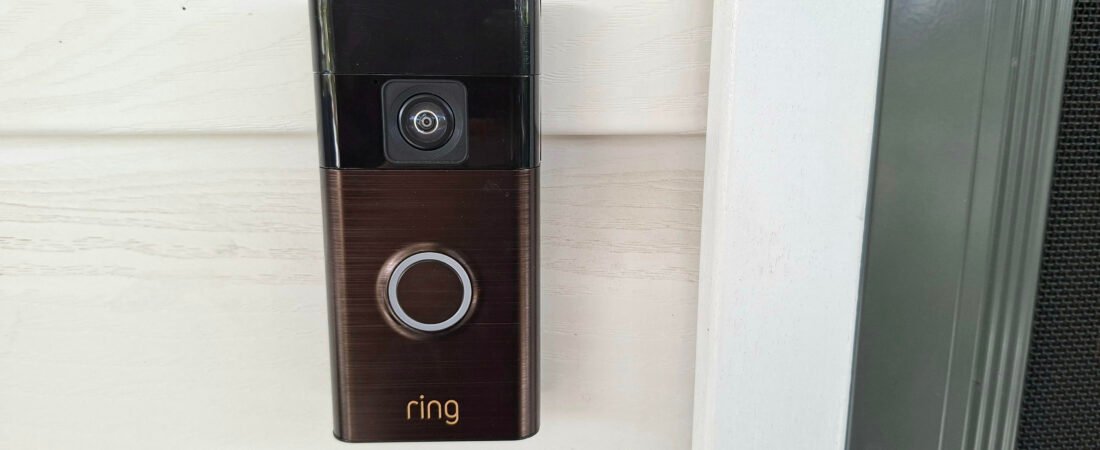
If you’re looking to boost your home’s security without spending thousands on a full camera system, the Ring Doorbell Camera is one of the most popular and accessible options on the market. With smart features, easy installation, and reliable app connectivity, it’s become a favourite for families wanting peace of mind.
In this blog, we break down everything you need to know — from affordability to how it works, setup, subscription options, and its overall safety features.
*As an Amazon Associate I earn from qualifying purchases*
Affordability: A Budget-Friendly Smart Security Option
One of the biggest draw cards of the Ring Doorbell Camera is its price point.
Compared to traditional security systems that require professional installation or expensive hardware, Ring offers:
- Affordable upfront cost — multiple models to suit different budgets
- DIY installation — no electrician needed
- Optional subscription — you can use basic features without ongoing fees (although I will explain later that the subscriptiion features are well worth the cost of an ongoing subscription)
- Integration with existing devices — works with Alexa and compatible smart home products (not google home ecosystem)
How It Works: Smart Detection & Real-Time Monitoring
The Ring Doorbell Camera works by connecting to your home’s Wi-Fi and sending real-time notifications to your phone, tablet or Alexa hub whenever motion is detected or someone presses the doorbell.
Key functions include:
- Live View: Check your front door anytime through the Ring app
- Two-Way Audio: Speak to visitors, delivery drivers, or unwanted guests
- Motion Detection: Customisable motion zones so you only get alerts that matter
- HD Video Quality: Depending on the model, between 1080p HD and HDR for clearer footage
- Night Vision: Infrared technology for visibility in low-light
You essentially have a 24/7 view of your entryway, giving you more control over who’s at your door — even when you’re not home.
How to Connect: Simple Setup Anyone Can Do
Setting up a Ring doorbell is so easy! You can install it in under 10 minutes.
1. Download the Ring App
Available for iOS and Android: this is where you’ll set up, customise, and manage your device.
2. Create or Log In to Your Account
3. Add a New Device
Tap “Set Up a Device” and select “Doorbells.”
4. Scan the QR Code
Located on the doorbell or in the box.
5. Connect to Your Wi-Fi
Follow the app instructions to connect the camera to your network (note it will have to be setup on a 2.4Ghz wifi)
6. Mount the Doorbell
Use the included screws and mounting kit — no complicated wiring unless you choose a hardwired model.
Once connected, the app walks you through personalising notifications, motion zones, and linked devices.
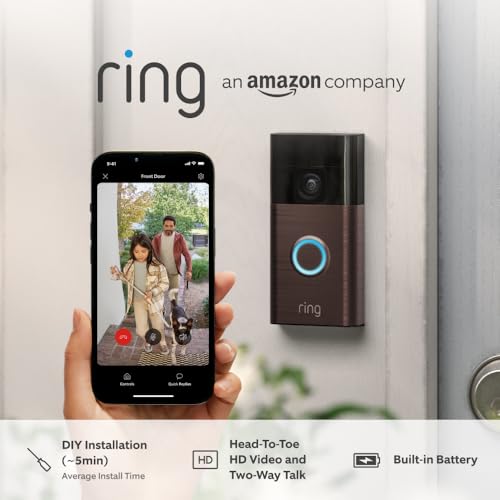

Subscription: Understanding Ring Protect Plans
While Ring cameras can be used without a subscription, the Ring Protect Plan unlocks more features and makes the most of the device.
Without a Subscription You Get:
- Live View
- Two-way audio
- Real-time notifications
- Basic motion alerts
With a Ring Protect Subscription You Get:
- Video Recording & Playback: Access recorded footage for up to 180 days
- Snapshot Capture: Photos taken between events for extended monitoring
- Rich Notifications: See a photo preview of alerts
- Extended Warranties (with the Protect Plus or Pro plan)
- Support for Multiple Devices (on higher-tier plans)
There are multiple tiers for the Ring Protect Plan, I personally have the Home Basic plan which has 180 days of video history, video preview alerts, person, package and vehicle alerts, snapshot capture, downloads up to 50 videos at once and 10% off ring.com if I want to buy more items (for only one camera setup). The Home Standard plan would be more appropriate for multiple cameras, it has everything in the basic plan plus extended live view, doorbell calls and multi-cam live view, while the Home Premium plan includes everything in the standard plan, plus Smart video search and Video descriptions. Subscriptions are charged monthly or yearly, and pricing remains one of the most competitive in the home-security space.
Safety Features: Your Home’s First Line of Defence
Ring doorbells offer a range of security features designed to protect both your home and your family:
- Motion Detection Alerts keep you informed of activity at your door
- Two-way communication deters suspicious visitors
- Night vision ensures visibility at all hours
- Package Detection (on some models and requires a subscription) helps prevent theft
- Linked Devices allow your Ring cameras, lights, and alarms to work together
- Neighbourhood Alerts (via the Ring app) share updates about local incidents
Additionally, being able to answer the door remotely adds a major layer of safety — especially for families, shift workers, or anyone who travels regularly.
What’s the difference between the Standard and Pro version?
| Feature | Ring Video Doorbell (Standard) | Ring Video Doorbell Pro |
| Video Resolution | 1440p HD | 1536p HD |
| Night Vision | Black and white | Color |
| Motion Detection | Basic motion detection | 3D motion detection and birds-eye view |
| Wi-Fi | Supports 2.4 GHz | Supports 2.4GHz and 5 GHz |
| Power | Battery or wired | Battery or wired but wired is recommended because more features = more battery drainage |
Both models can be used on their own in the Ring app, hooked up with a chime or Alexa.

My Personal Experience
I’ve had my Ring Doorbell for almost eight months now, and it has brought me so much peace of mind knowing exactly who is approaching my home. I originally chose the Ring doorbell because of its lower upfront cost compared to other security options, and at the time, I wasn’t planning on paying for a monthly subscription.
But after using the 30-day trial, I realised how beneficial the Ring Protect Plan actually is. The extra features gave me the protection and visbility I was looking for, and honestly, the subscription costs less than the price of lunch each month.
Installing the doorbell was incredibly easy, and I love how simple it is to take on and off the wall bracket. The battery lasts around 3–6 months, and although I need to recharge it a few times a year, which I personally don’t mind. The USB-C fast charging is quick and convenient, and I prefer recharging over replacing disposable batteries. No more dealing with old, dead batteries cluttering my drawer!
I’ll admit, I’ve lost the little keys used to unlock it from the mounting bracket a few times (my fault!). Thankfully, replacement keys are super cheap on Amazon, and with Prime, they arrive in just a day or two.
Overall, I’m extremely happy with the Ring Doorbell. It’s affordable, reliable, and has genuinely improved my sense of safety at home. It’s one of those smart home purchases I’d recommend to anyone wanting easy, effective security without the hassle.