

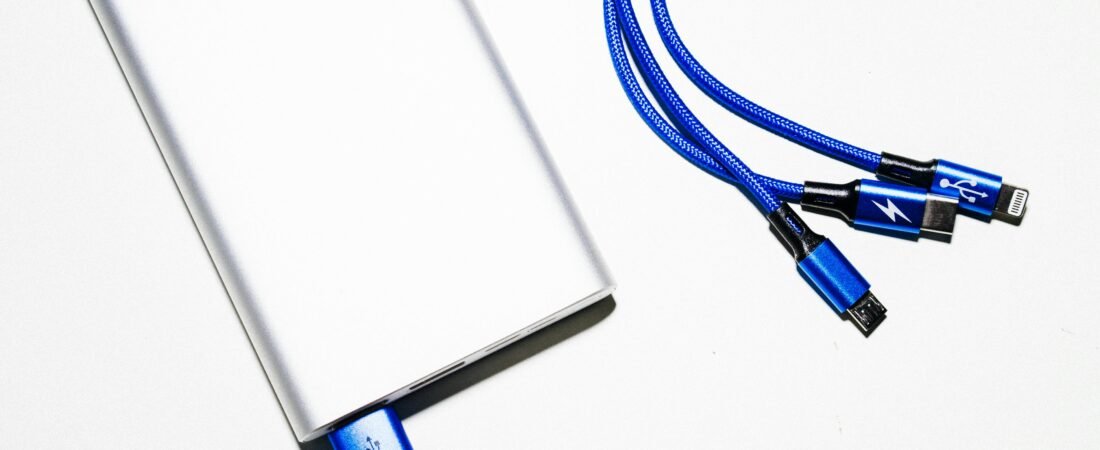
Still confused about all the different chargers and cables? What’s the difference between them, and which one do you actually need? In today’s tech-filled homes, cables and chargers are everywhere. From smartphones to TVs, gaming consoles, and smart speakers, each device often has its own connector. Here’s a quick guide to the most common cords and charger types you’ll encounter in 2025.
*As an Amazon Associate, I earn from qualifying purchases.*
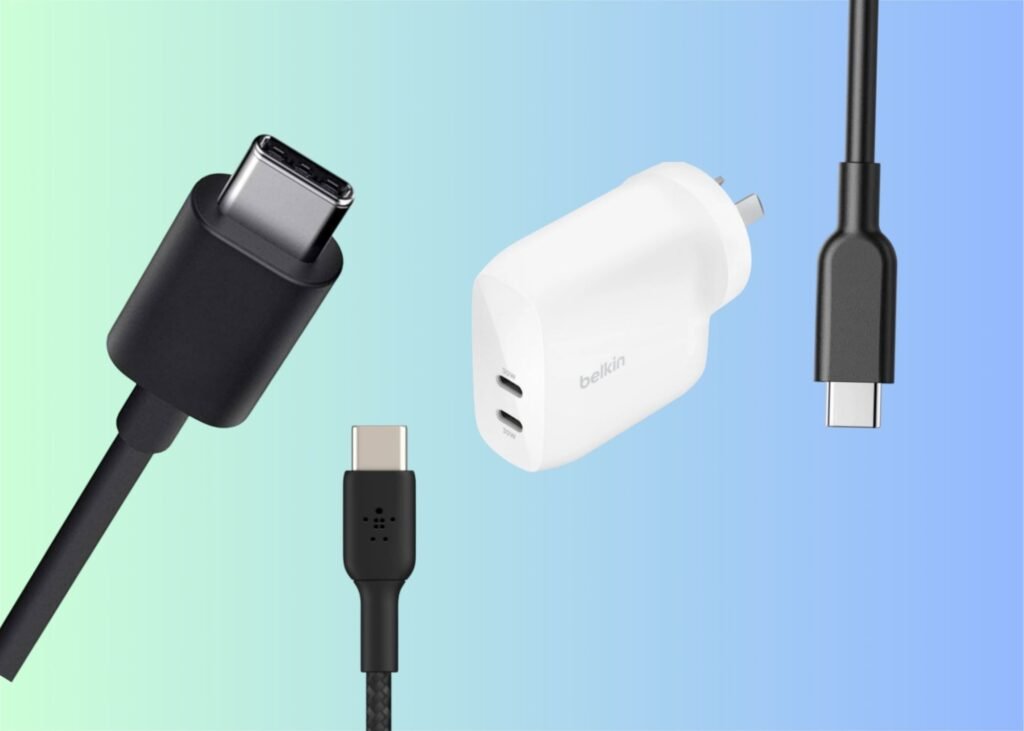
1. USB-C
What it is: The newest universal connector for charging and data transfer.
Uses: Smartphones, tablets, laptops, external hard drives, headphones, monitors.
Why it matters in 2025: USB-C supports fast charging, high-speed data transfer, and video output, making it the go-to connector for most modern devices. It is gradually becoming the standard connector for smartphones, laptops, and tablets, helping to reduce electronic waste.
Adoption Timeline (mostly because I found this interesting)
- 2015–2017: Many Android smartphones, laptops, and tablets started adopting USB-C.
- 2018: Apple introduced USB-C on the iPad Pro, signaling a shift for mainstream consumer devices.
- 2023–2025: USB-C became mandatory in the European Union for most electronic devices, including phones, tablets, and cameras, due to legislation aimed at reducing e-waste and simplifying chargers
Although USB-C cables can support up to 100W fast charging, the actual power comes from the wall plug. The typical range for smartphone fast charging is 18W–33W, while high-end smartphones can support super-fast charging at 45W–100W. To achieve fast charging, choose a wall plug within these ranges to pair with your USB-C cable (depending on whether your phone supports fast charging).

![Belkin Braided USB-A to USB-C Cable ([Length], 15W) - Soft, Flexi...](https://m.media-amazon.com/images/I/31tdz-tkJML._AC_.jpg)
![Belkin Braided USB-C to USB-C Cable ([2M], 240W) - Soft, Flexible...](https://m.media-amazon.com/images/I/41N+cbfmUEL._AC_.jpg)
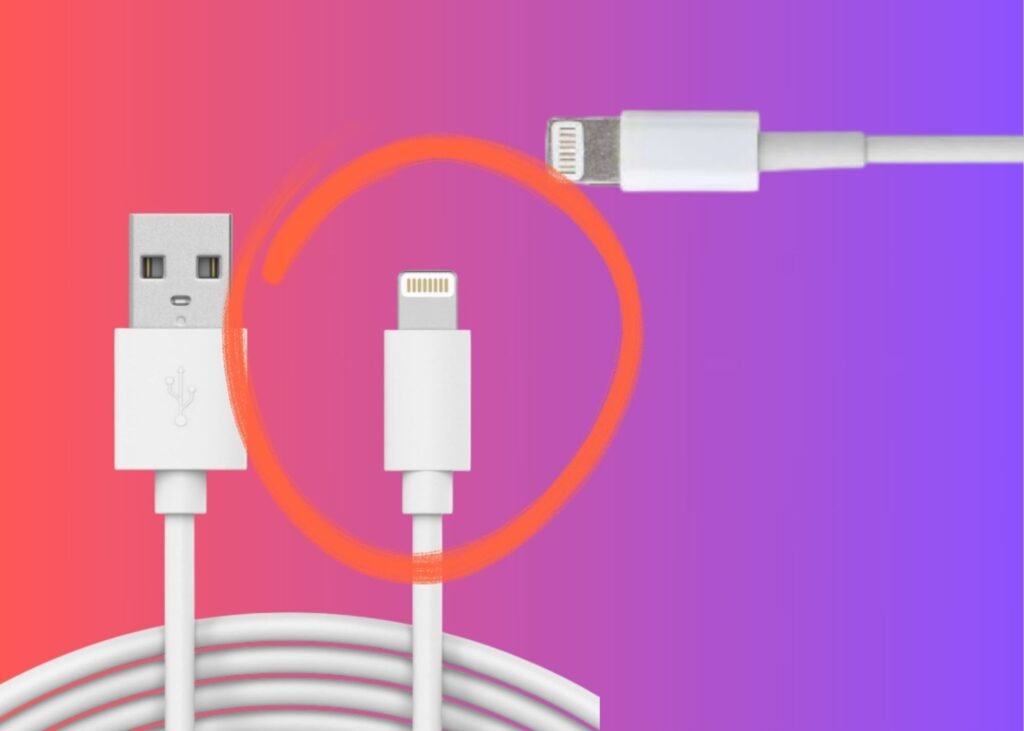
2. Lightning
What it is: The Lightning connector was introduced by Apple in 2012. It’s small, reversible, and was used extensively across iPhones, iPads, and Apple accessories for many years.
Uses: Lightning port models include older iPhones (models before iPhone 15), many older iPads, and accessories that still rely on Lightning connectors.
Why it matters in 2025: If you have newer Apple devices with USB‑C, you’ll benefit from one cable that works across multiple devices, phone, tablet, and laptop. If you’re still using older Lightning devices, you’ll likely have a drawer full of Lightning cables and may need adapters when connecting to newer USB‑C ports. The Lightning end of the cable never plugs directly into a wall or opposite device; it is always paired with a USB-A, USB-C, or AUX connector on the other side.
How to know if your apple device uses a lightning cable
USB‑C port models: Starting with the iPhone 15 series (iPhone 15, 15 Plus, 15 Pro, 15 Pro Max) Apple moved from Lightning to USB‑C. Also many iPads (iPad Pro from 2018 onward, iPad Air (4th gen) onward, iPad mini (6th gen) onward) use USB‑C instead of Lightning. So if your device isn’t one of these models, it likely uses a lightning connection.

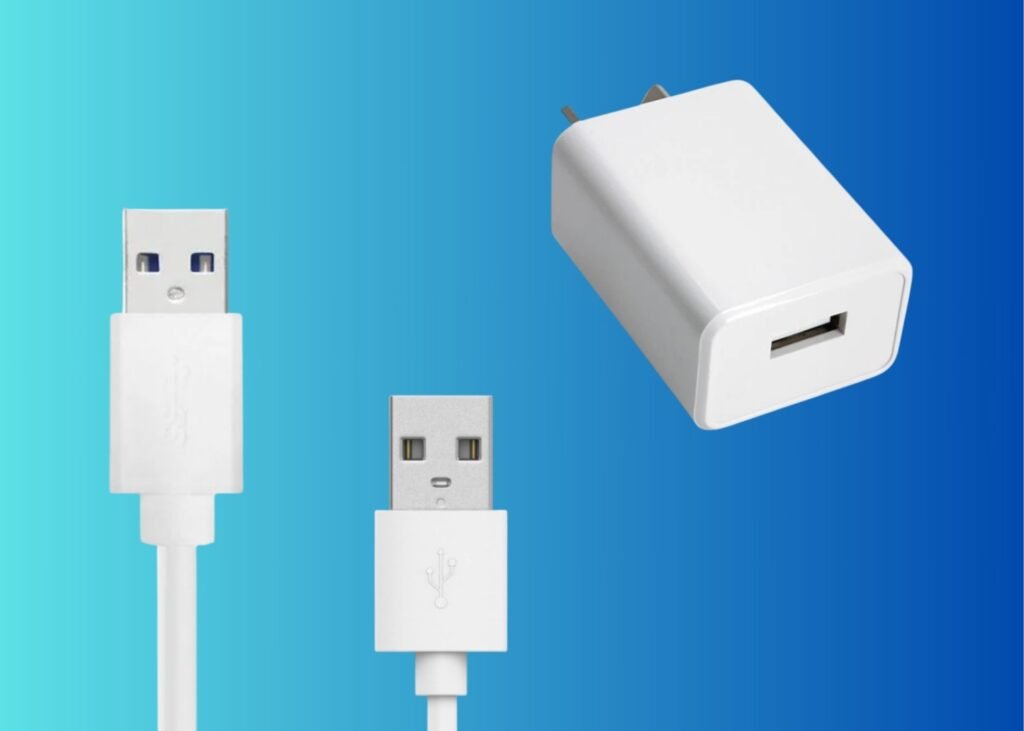
3. USB-A
What it is: The traditional rectangular USB connector.
Uses: Older smartphones, cameras, keyboards, printers, power banks and USB flash drives
Notes: Still widely used for charging via wall adapters or connecting devices, though many devices now support USB-C.
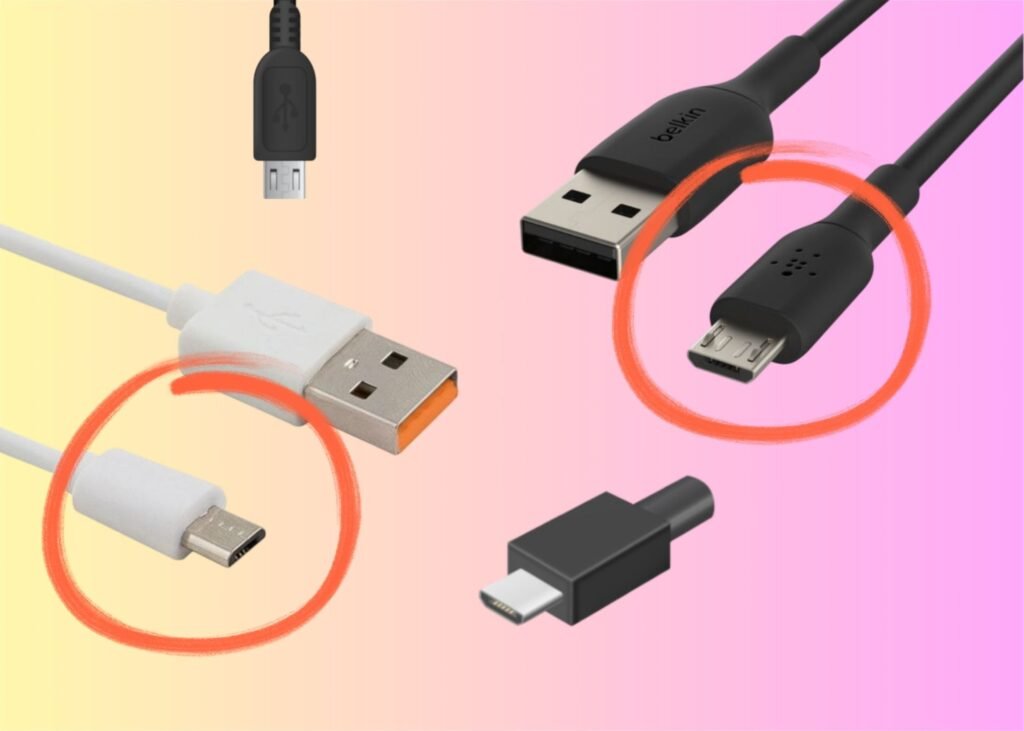
4. Micro USB
What it is: Smaller USB connector mostly phased out but still found on some older devices.
Uses: Older Android phones, Bluetooth speakers, e-readers, some gaming controllers, small tech device charging.
Notes: Many devices now prefer USB-C, but micro USB is still around.
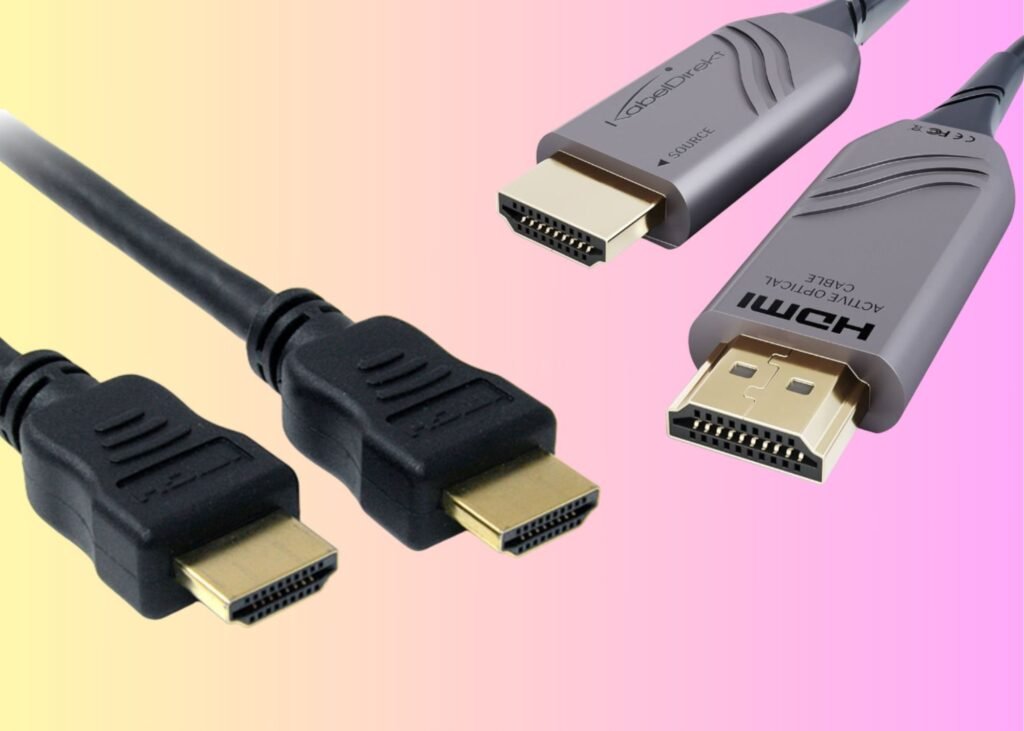
5. HDMI
HDMI (High‑Definition Multimedia Interface)
What it is: HDMI is the standard connector for transmitting high-quality video and audio from one device to another. In a modern home, it’s the go-to cable for connecting TVs, monitors, streaming boxes, gaming consoles, projectors, or linking monitors to PCs and laptops for productivity, creative work, or dual-screen setups.
Why it matters in 2025: Modern versions like HDMI 2.1 support 4K at high refresh rates (120 Hz+), 8K video (4K provides very good quality; 8K is the highest currently available), variable refresh rate (VRR, which affects how smoothly motion appears on screen), and enhanced audio features for better sound quality. If you’re building a home theatre, gaming rig, or multi-screen workstation, ensuring your HDMI cables and ports support the right standard is essential.
Click arrow for my Quick term guide if any of these tech terms didn’t make sense!
4K Video: Super clear picture quality — four times sharper than regular HD.
8K Video: Even clearer than 4K — the best image quality you can get right now.
Refresh Rate (Hz): How many times your screen updates each second. Higher numbers (like 120 Hz) mean smoother motion for gaming and movies.
Variable Refresh Rate (VRR): Lets your screen and device stay in sync so you don’t get flickering or screen tearing during fast action.
Audio Features: Newer cables and TVs support better sound (like Dolby Atmos or eARC) for richer, more cinema-like audio.
You’ll need a HDMI cable if you are connecting a streaming device (e.g., Apple TV 4K, Chromecast, Amazon Fire TV) to a TV, plugging your laptop or media centre into a large screen for movies or presentations or linking a gaming console (such as a PlayStation or Xbox) to the TV for high‑definition gameplay.


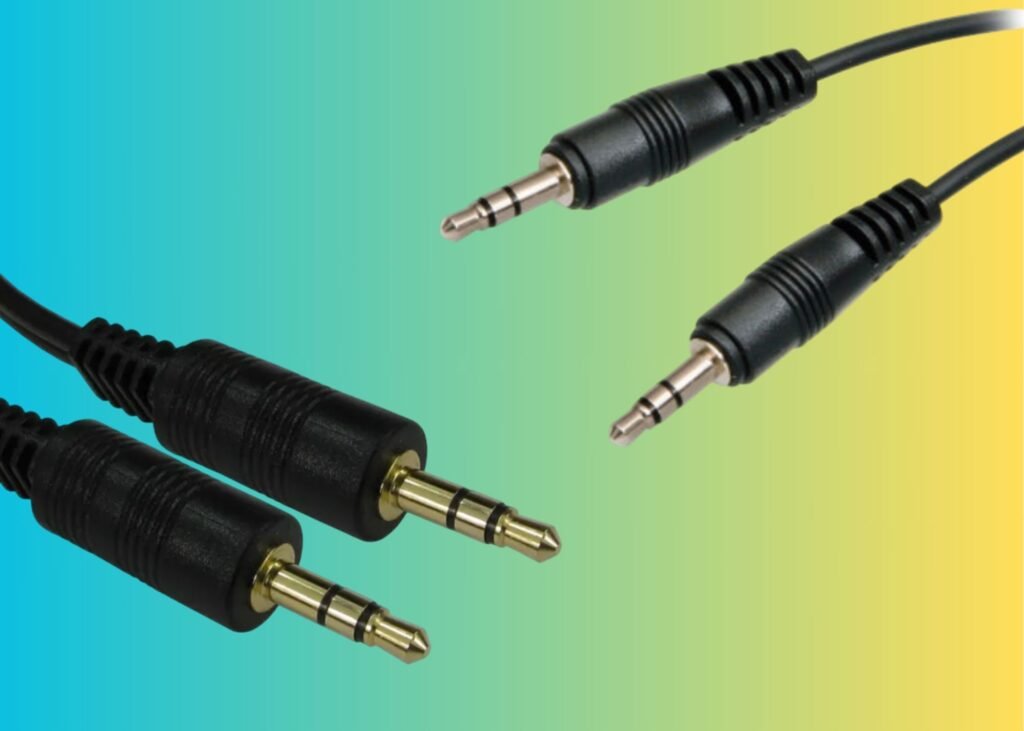
6. AUX / 3.5mm Audio Jack
What it is: Standard analog audio connector.
Uses: Headphones, speakers, car audio, older audio devices.
Notes: Still useful for devices without Bluetooth, though wireless audio dominates in 2025.
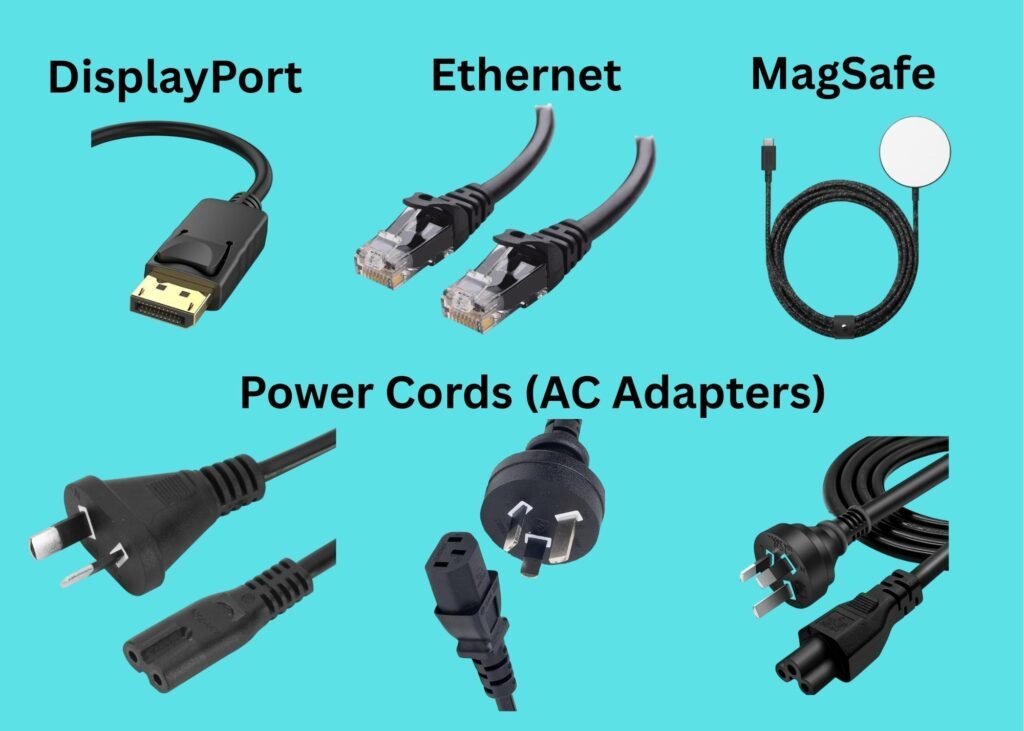
7. Other Cables You Might See
- DisplayPort: High-resolution video for monitors and gaming setups.
- Ethernet (RJ45): Wired internet connections for stable speeds.
- MagSafe / Magnetic Chargers: Apple’s magnetic charging for iPhones and MacBooks.
- Power Cords (AC adapters): For laptops, monitors, and other appliances.
*I have linked a lot of Belkin branded products to my Amazon account, I genuinely love this brand for all my cables. It’s a perfect balance between on-brand cables that cost twice as much money, and cheap cables that only work for a month or two. Their 3m USB-C charging cable got me through my hospital stay being able to charge my phone from the wall sitting in bed*